- Feozan Group
- Designs & Technologies
- Central Operations Tool
One system from the order arriving to the invoice collected.
Stop running production on WhatsApp, printed job cards and four separate spreadsheets. Every order, its materials, its delivery date and its invoice, in one place that everyone can check.
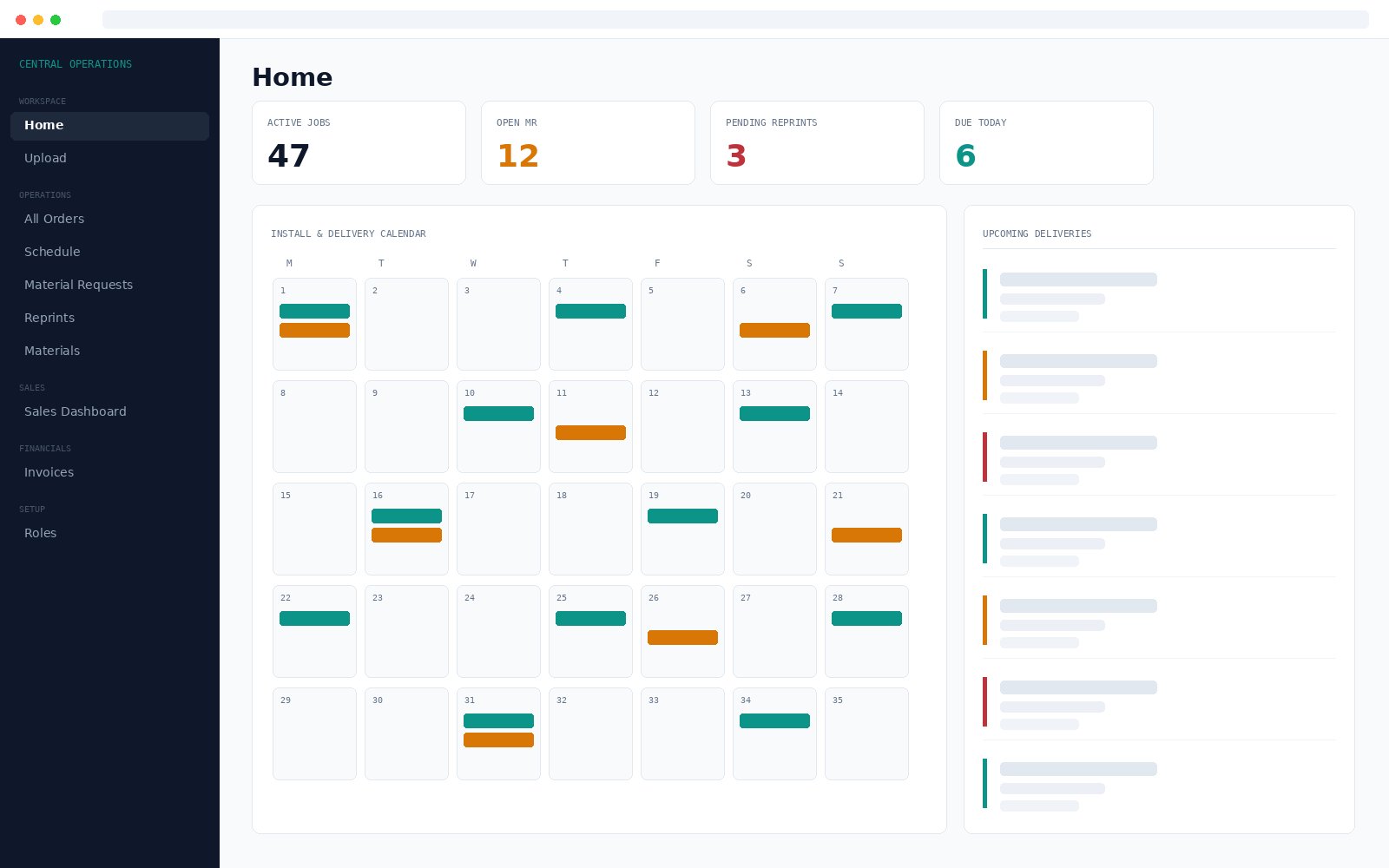
No retyping orders
Drop in the customer order PDF. The system detects the type and fills in customer, dates, LPO and every line item.
Materials to purchase
Requests raised against the job and tracked line by line, so procurement works from a list, not from messages.
Nothing uncollected
Invoices tracked from pending to submitted to verified, so the gap between work sold and work billed is visible.
The problem
Nobody has the whole picture
Advertising, fabrication and printing companies usually run on WhatsApp messages, printed job cards and separate Excel files for orders, delivery dates, material purchases and invoice follow up.
Information sits with individuals
Where a job has reached is held in somebody's head or somebody's phone, rather than in a system anyone can open.
No single view of the day
What is due for delivery, what materials are still to be purchased and which invoices are uncollected all live in different places.
Everything gets retyped
Order details arrive as a PDF and get keyed in again by hand, which costs time and introduces mistakes.
What it does
The capabilities that matter day to day
It reads the PDF for you
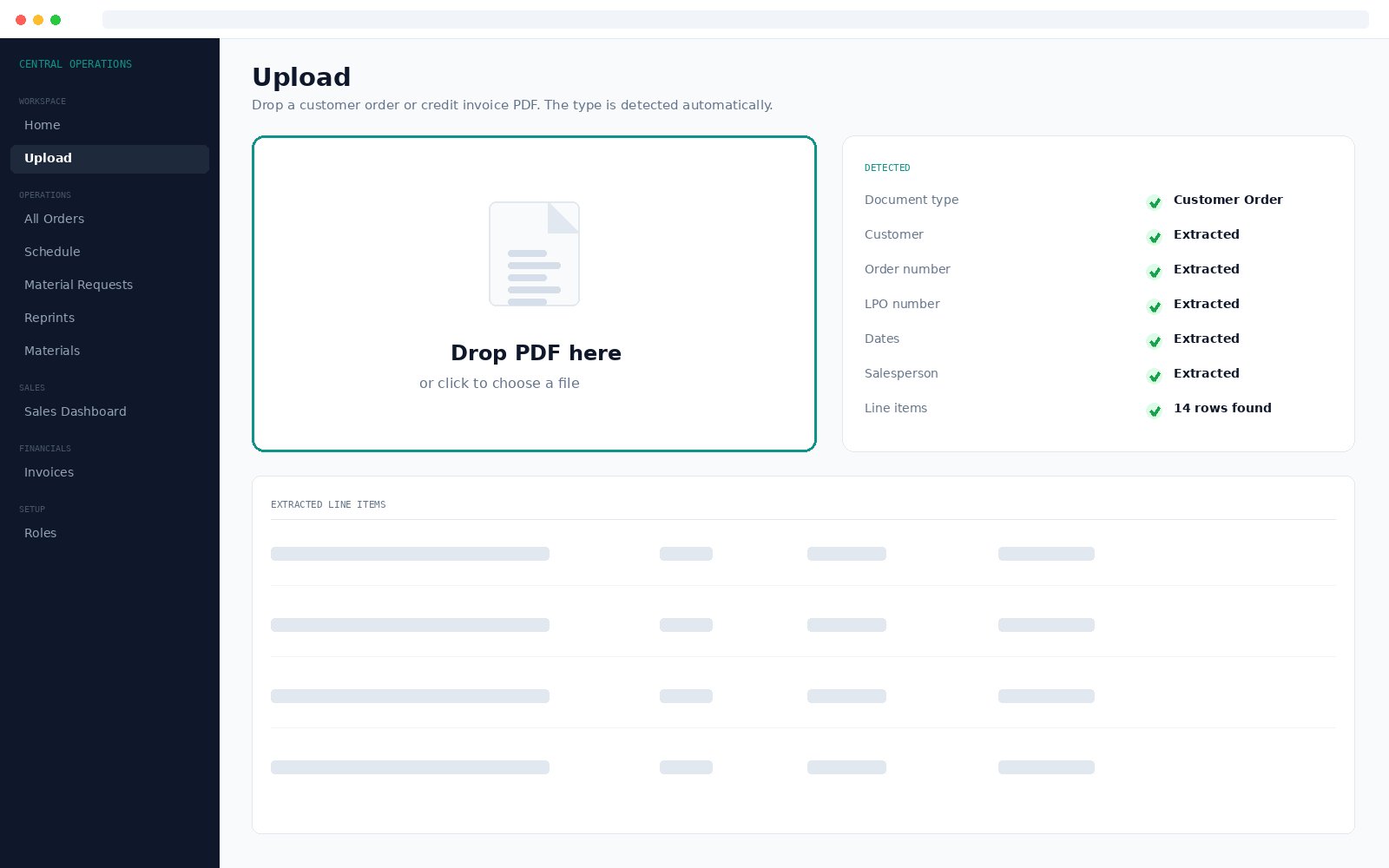
Upload a customer order or a credit invoice and the system works out which it is, then extracts the details and creates the record. This is the feature that saves the most time day to day.
- Detects customer order against credit invoice automatically
- Pulls customer, order number, LPO number, dates and salesperson
- Reads every line item with quantities and prices
- No retyping and no transcription mistakes
One order, one timeline
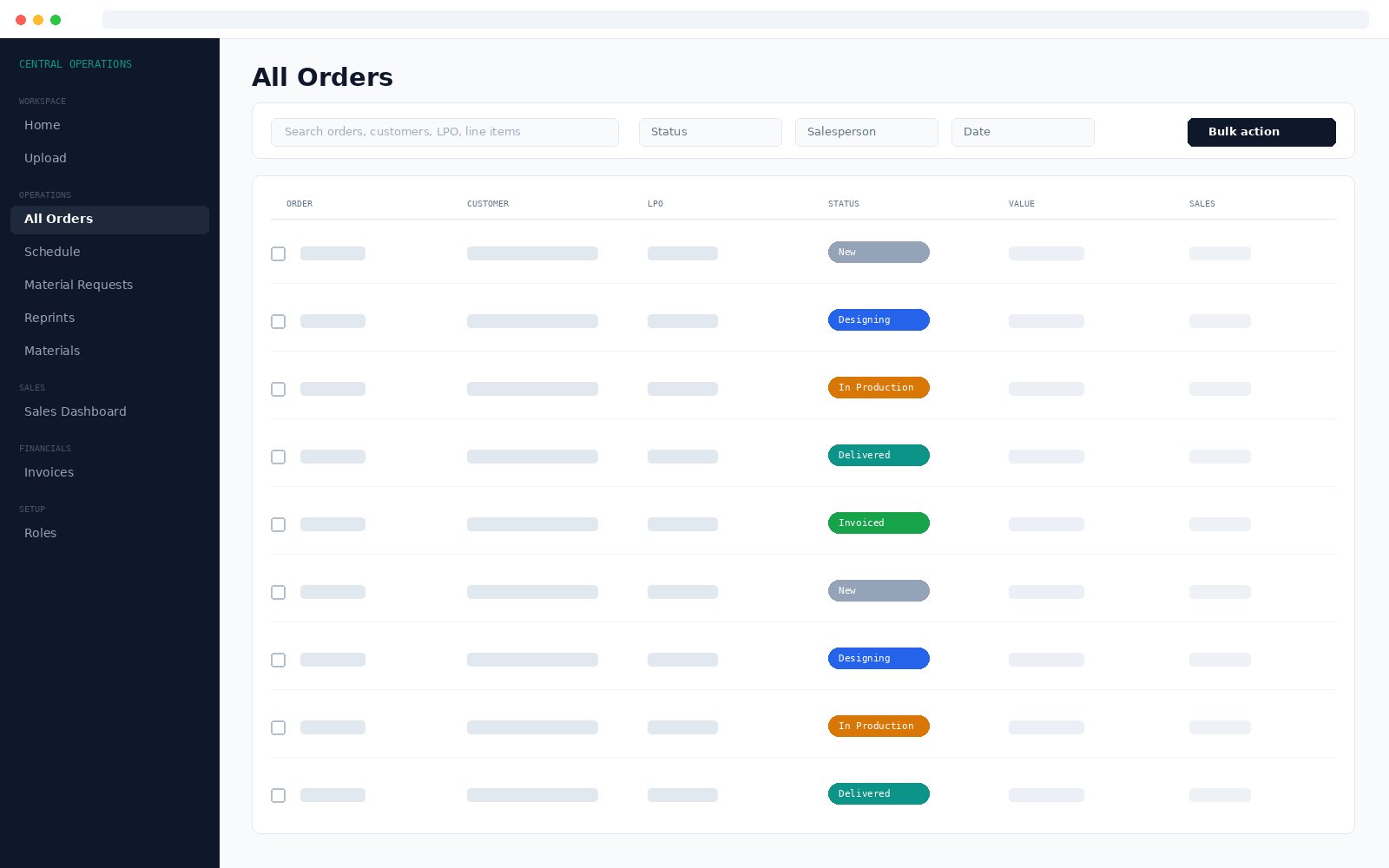
Every order carries its own status history, line items, delivery schedule, material requests, reprints and invoice. Every status change is recorded with who made it and when.
- Full history attached to the order, not to anyone's memory
- Line items, schedule and invoice on the same record
- Reprints and reworks logged against the order that caused them
Search that looks inside orders
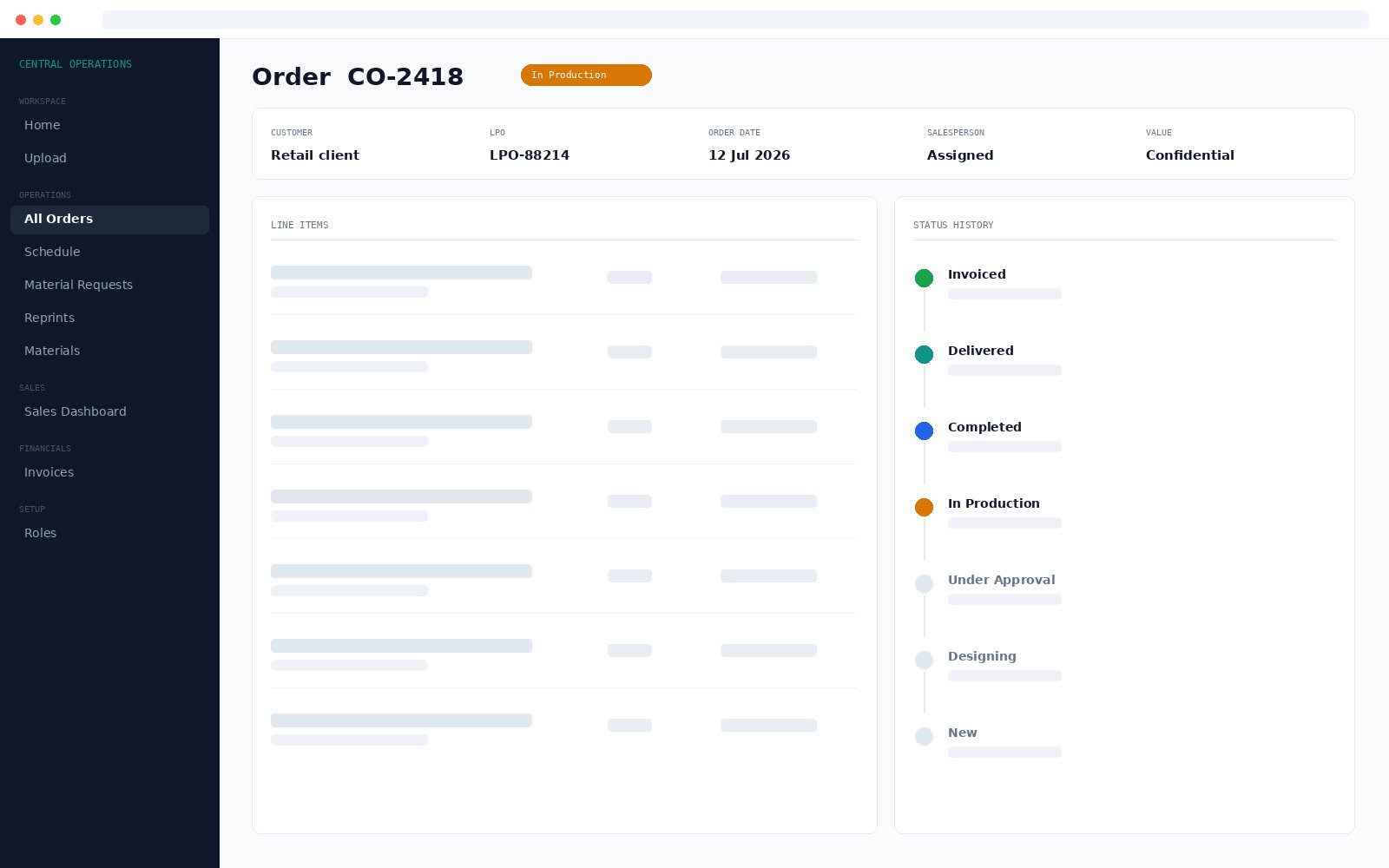
Finds orders by number, customer or LPO, and also by what is inside them. Search a material or product description and every order containing it comes back.
- Search order numbers, customers and LPO numbers
- Search line item contents, not just headers
- Select many orders and move them through a status together
Order status
Seven stages, every change recorded
Status runs through the full production path, and each change is kept with who made it and when.
Modules
Five areas, take what you need
Each module declares its own pages, routes and permissions, so modules can be added or left out per deployment.
Workspace
- Home dashboard with calendar and counts
- Upload, which reads the PDF
Operations
- All Orders with search and filters
- Schedule with rescheduling history
- Material Requests through to purchase
- Reprints and Reworks
- Materials master list with suppliers and rates
Sales
- Order value and count per salesperson
- Month over month comparison
Financials
- Invoices from submitted to verified
- Ordered value against invoiced value
Setup
- Users
- Roles and Permissions
- Branding
Across all of it
- Search inside orders and line items
- Bulk status changes
- Activity log across the application
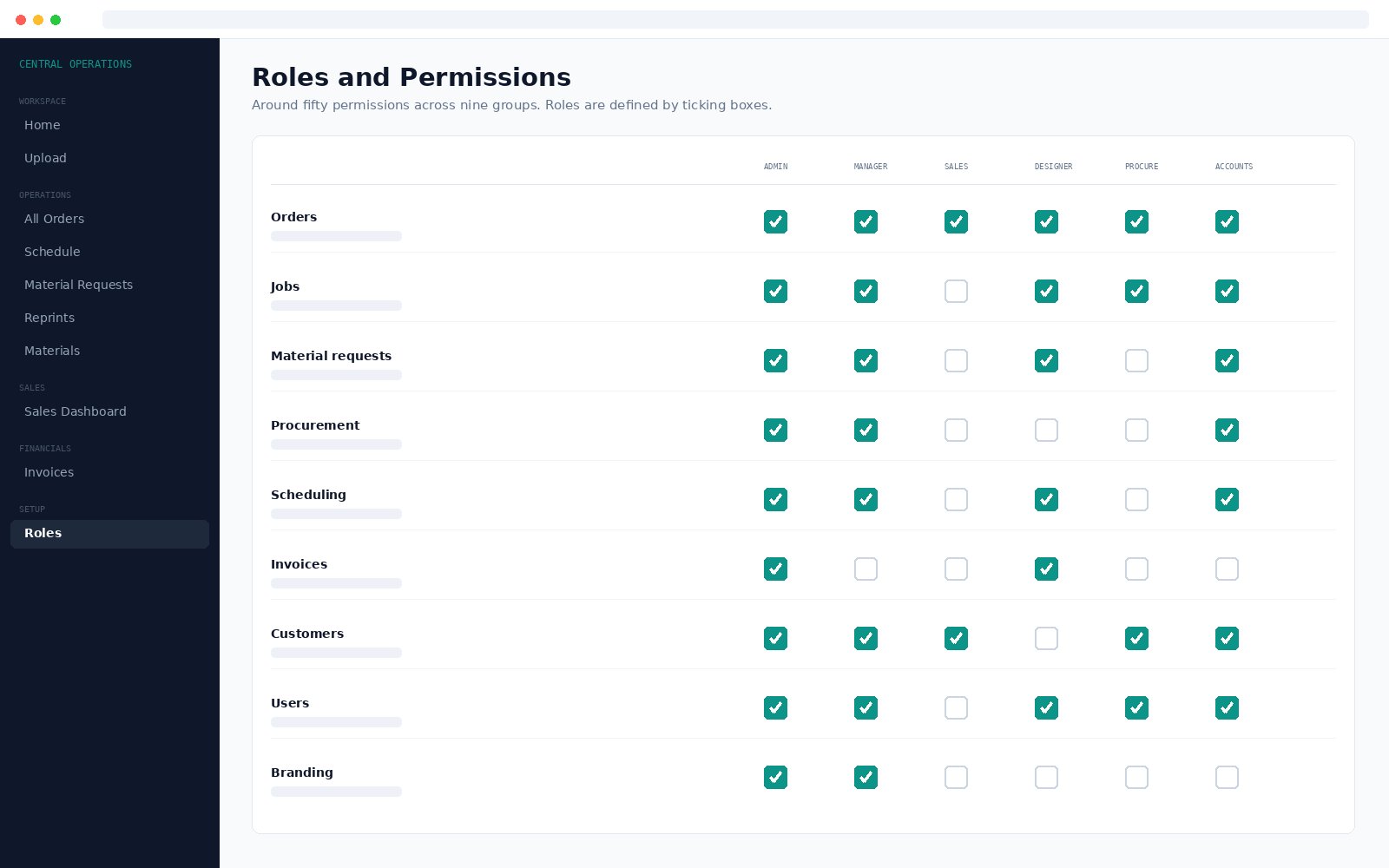
Permissions set by ticking boxes
Around fifty permissions across nine groups. Roles are defined on a dashboard page, not by editing code, and cover both what a role can do and what a role can see.
- Actions: create orders, delete, change status, see prices
- Visibility: all orders, or only the person's own
- A salesperson limited to their own customers and orders
- A designer to work assigned to them, procurement to material requests
- Any of it widened for a role without a developer
Sales and invoicing visibility
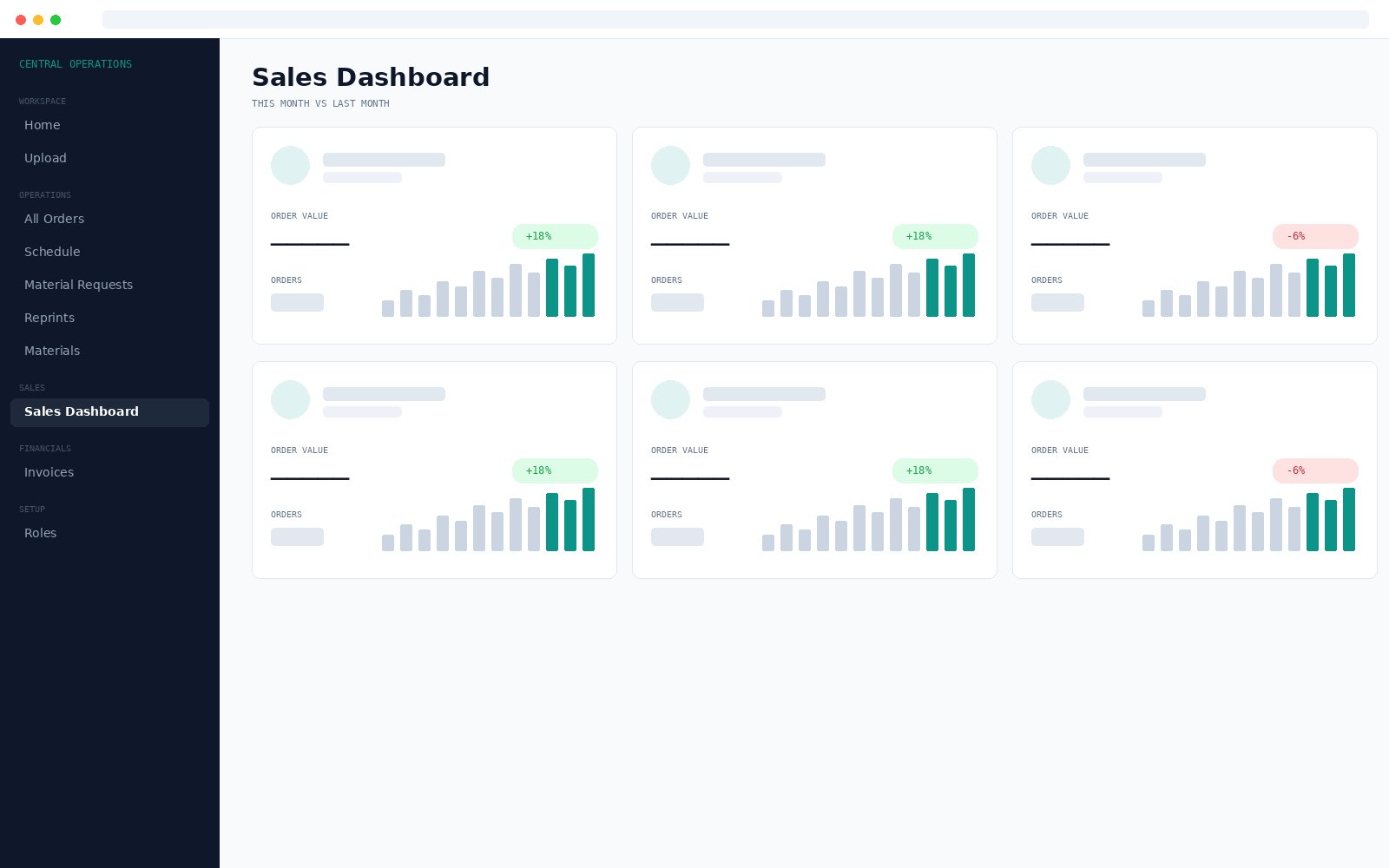
The Sales Dashboard shows order value and count per salesperson month over month. The Invoicing Dashboard shows ordered value against invoiced value, so the gap between work sold and work billed is visible rather than assumed.
- Order value and count per salesperson
- Comparison against the previous month
- Ordered against invoiced, per salesperson
Who it is for
Built inside a fabrication business
Built for and proven in signage, fabrication and printing companies. The workflow it models, order in through design, production, delivery or installation and finally invoice, suits any business that runs work as jobs. It runs live operations for two companies today.
Request a quoteTechnical
Easy to run, easy to keep running
- Stack
- PHP with MariaDB or MySQL. No framework dependency
- Hosting
- Standard cPanel shared hosting. No server administration, SSH or containers
- Installation
- A single SQL file. Updates ship as numbered migration files
- Architecture
- Modular. Each module declares its own pages, routes and permissions
- Code location
- Application code sits outside the public web folder
- Devices
- Responsive. Phone and tablet as well as desktop
- Security
- Password hashing, login rate limiting, SQL injection and CSRF protection, activity log
How a new deployment works
Create a database
On your own cPanel hosting, or on hosting we arrange.
Import the install file
A single SQL file sets up the whole application.
Set connection details
Point the application at the database.
Set your branding
Name, logo, favicon and colour from the Branding page.
Create users and roles
Tick what each role can do and see. No per customer code changes at any point.
Questions
Before you enquire
What does the PDF reading actually do?
Upload a customer order or a credit invoice PDF and the system detects which one it is, then extracts the customer, order number, LPO number, dates, salesperson and all line items with quantities and prices, and creates the record. There is no retyping.
What hosting does it need?
Standard cPanel shared hosting. PHP and MariaDB or MySQL with no framework dependency, so no server administration, no SSH and no container platform.
How is access controlled?
Around fifty permissions across nine groups. Roles are defined by ticking boxes on a dashboard page rather than by editing code, covering both actions and visibility. A salesperson can be limited to their own customers, a designer to work assigned to them, procurement to material requests.
Can it carry our own branding?
Yes. Each deployment sets its own application name, company name, description, login text, primary colour, logo and favicon from an admin page. No code change per customer.
Can we take only some modules?
Yes. Each module declares its own pages, routes and permissions, so modules can be added or left out per deployment.
How does a new deployment work?
Five steps: create a database, import the install file, set the connection details, set the branding, then create users and roles. Updates ship as numbered migration files.
Who is using it?
It runs live daily operations for two companies and is deployed elsewhere as separately branded installations.
How is it priced?
Quoted per company, based on which modules you need, user numbers and hosting choice. Email hello@feozan.com for a quote.
Get started
Tell us what is slowing your team down
Tell us which parts of the job cause the most trouble and roughly how many people would use it. We will send a quote.